
Appearance
Configuring Automation
Prerequisites
Before you can run anything from the Automation page:
automation-servicemust be up and healthy. You can confirm this under Settings → Health, where every service reports its status: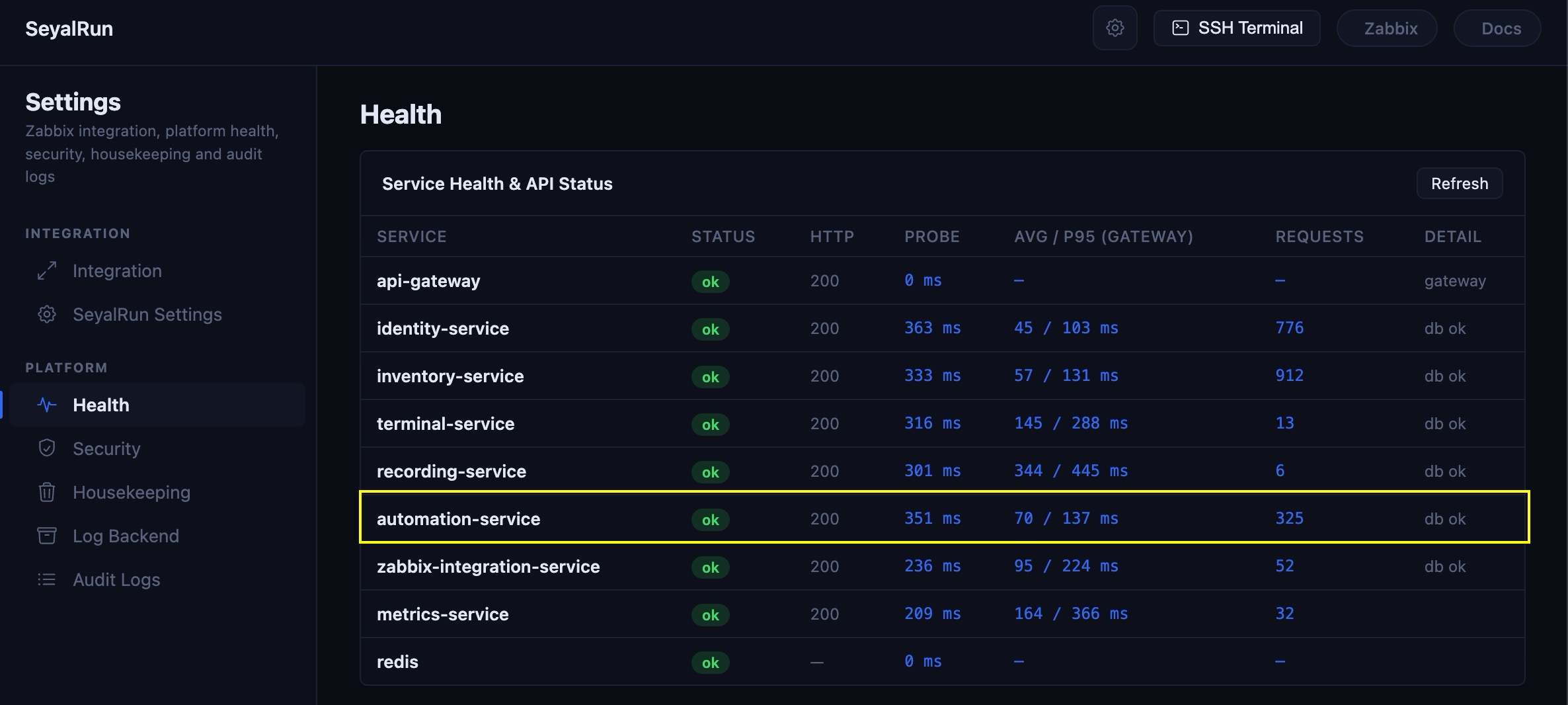
If it isn't reachable, the Automation page falls back to a service-unavailable banner instead of the tabs, with a Retry button.
At least one host must exist in inventory, added under Assets/SSH Hosts.
At least one credential must exist in the vault for the connection login (and, for account-lifecycle templates, for the subject account being managed). Automation never accepts raw passwords or keys — every credential is created once under Admin → Credentials and referenced by ID from then on.
Environment variables
Automation's own tunables are documented in full in the Configuration Reference. The two that matter day to day:
| Variable | Purpose | Default |
|---|---|---|
JOB_EXEC_TIMEOUT_SECONDS | Maximum wall-clock time for a single job run before it's force-failed with status error. This is a single global ceiling — there's no per-template timeout override. | 3600 |
MAX_OUTPUT_LINES | Cap on output_lines stored per job run; oldest lines are dropped once exceeded. Applies to the log shown on the run's detail page. | 500 |
A few related settings live outside the "automation" section but affect it:
| Variable | Purpose |
|---|---|
SSH_KNOWN_HOSTS_PATH | Host-key verification for outbound SSH made by bash-script and account-lifecycle executors (shared with the terminal feature). Empty = no verification (a warning is logged); set it to a known_hosts file path to enforce strict checking. |
AUTOMATION_DB_NAME | Database name for the automation service (default seyalrun_automation). Has no static schema — its tables come entirely from that service's Alembic migrations. |
There is no worker-count or concurrency-limit setting, and no "execution engine" selector: automation-service runs everything in-process, and the engine (Ansible vs. bash vs. an account-lifecycle operation) is chosen per job template via its type — not by a global config value.
Who can do what (RBAC)
Automation permissions are enforced by the API gateway's role model, on top of whatever host/credential access your role already has:
| Role | Browse templates & runs | Run a template | Create / edit / delete templates, projects, schedules |
|---|---|---|---|
| superadmin | ✅ | ✅ | ✅ |
| admin | ✅ | ✅ | ✅ |
| support | ✅ | ✅ | ✅ |
| user | ✅ | ✅ | ❌ |
A plain user can see and run any template they're shown, but can't author, edit, delete, or schedule one — those actions (and the All Templates / Schedules tabs) only appear for admin, support, and superadmin. Running and creating are deliberately separate permissions under the hood, so it's possible to grant "can run" without also granting "can create" — this is exactly the everyday-user vs. template-author split above.
Note that per-host access-control lists (the ACL gate that governs SSH terminal access) do not additionally restrict automation runs — if a user-role account can see a template and its target hosts, they can run it against those hosts.
Jobs triggered by a Zabbix event bypass this role model entirely: they only ever run a playbook an admin has explicitly bound to a trigger/host-group in advance (see the Zabbix module docs), authenticated by an HMAC signature rather than a user session.