
Appearance
Execution Options
Clicking ▶ Run on a job template opens the Run modal, where you can override its default targets, connection login, and variables for this one execution — nothing here changes the template itself.
Targeting: hosts vs. host groups
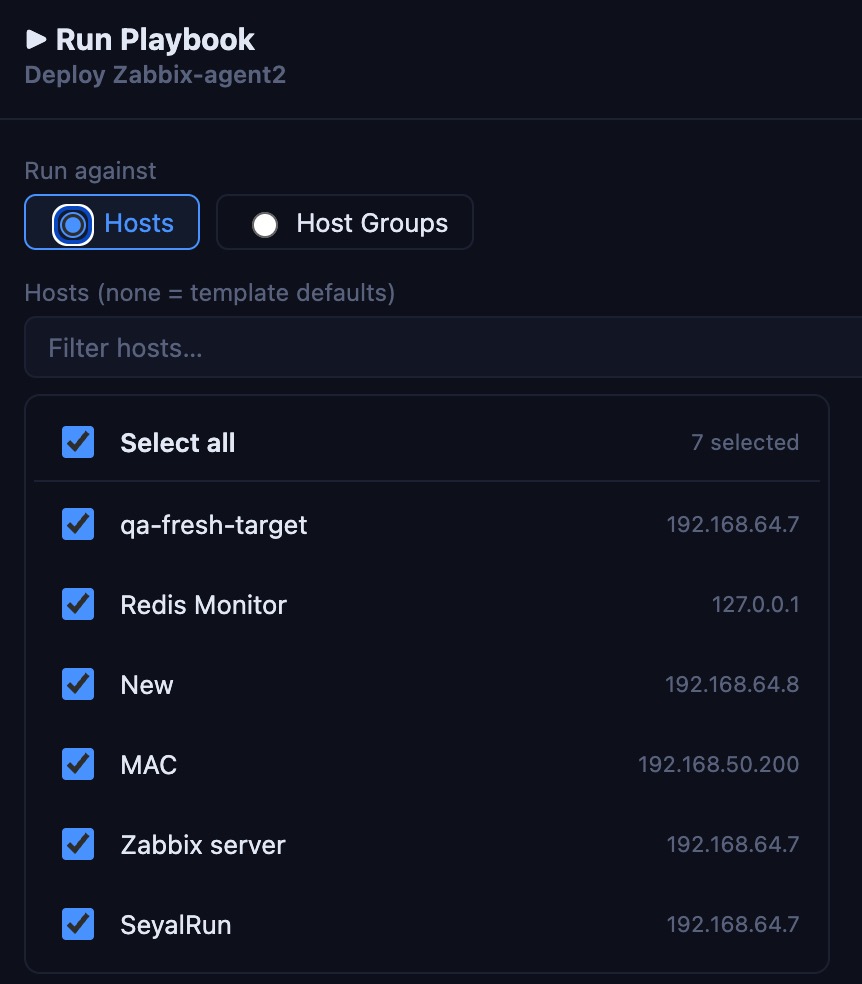
- Hosts — a filterable, multi-select checklist of individual hosts, with a "select all (filtered)" toggle. Leave nothing checked to fall back to the template's own default target hosts.
- Host Groups — select one or more host groups; SeyalRun resolves group membership to the underlying host list before dispatching the run.
The modal shows a live "▸ N hosts targeted" summary as you adjust your selection.
Connection login (credential mode)
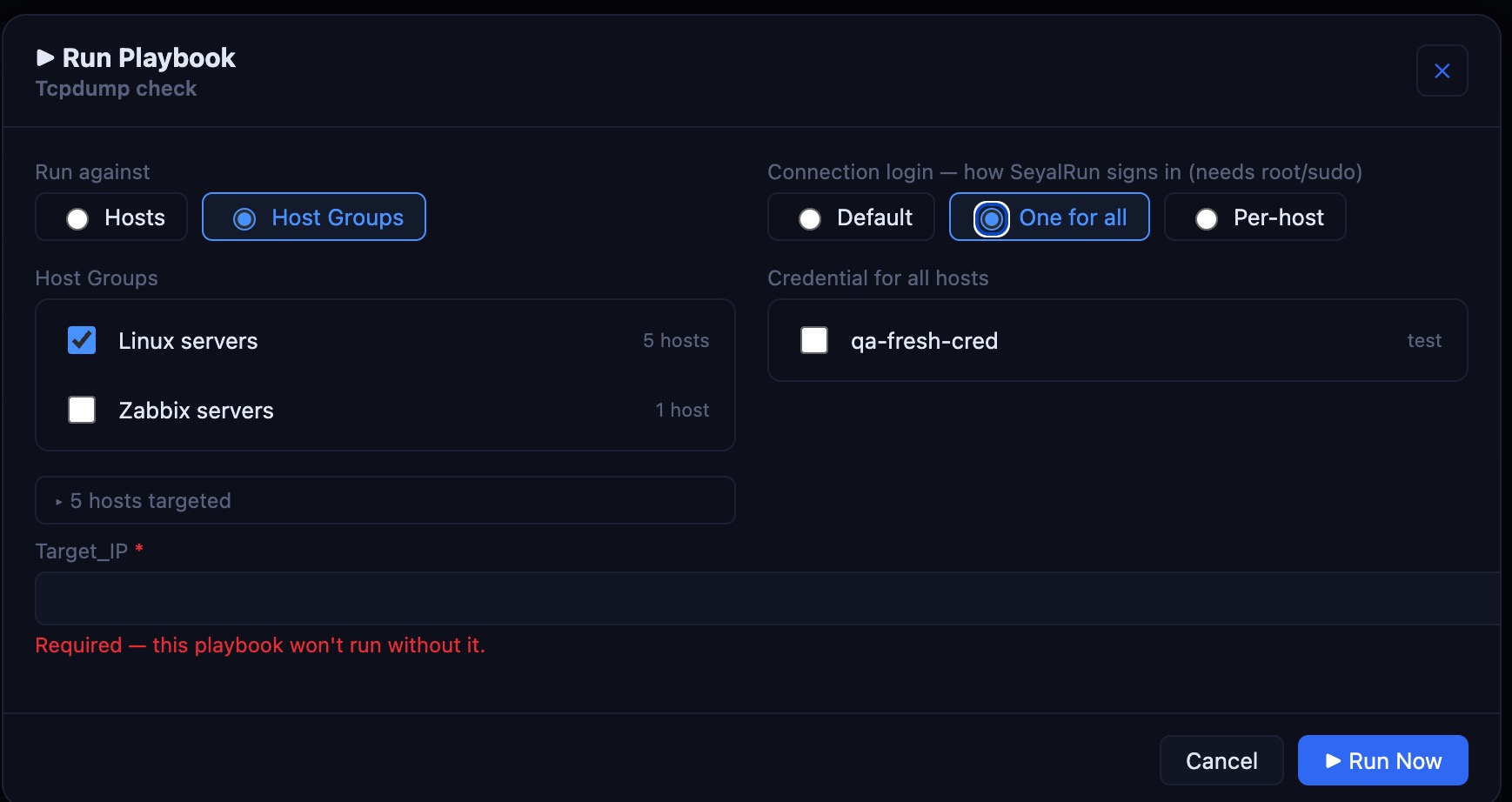
This is the SSH login SeyalRun uses to reach each host — separate from any "subject" account an account-lifecycle template manages (below). Three modes:
| Mode | Behavior |
|---|---|
| Default | Each host connects using its own linked "push account" credential. For Ansible/Bash templates, if a host has no linked credential, the template's pinned Execution Credential is used as a fallback. |
| One for all | Pick a single credential from the vault; every targeted host connects with it. |
| Per-host | Pick a credential individually for each resolved target host (defaults to "Default (push account)" per host unless overridden). |
Running with sudo
If the template has Run with sudo enabled, the become/sudo password is always resolved from a stored credential — the login credential's own password by default, or a separately pinned sudo credential. It must be a password-type credential; an SSH-key credential has no password to hand to sudo -S. This password is never accepted as free text in the Run modal and never persisted in job history — only the credential reference is stored.
Extra variables
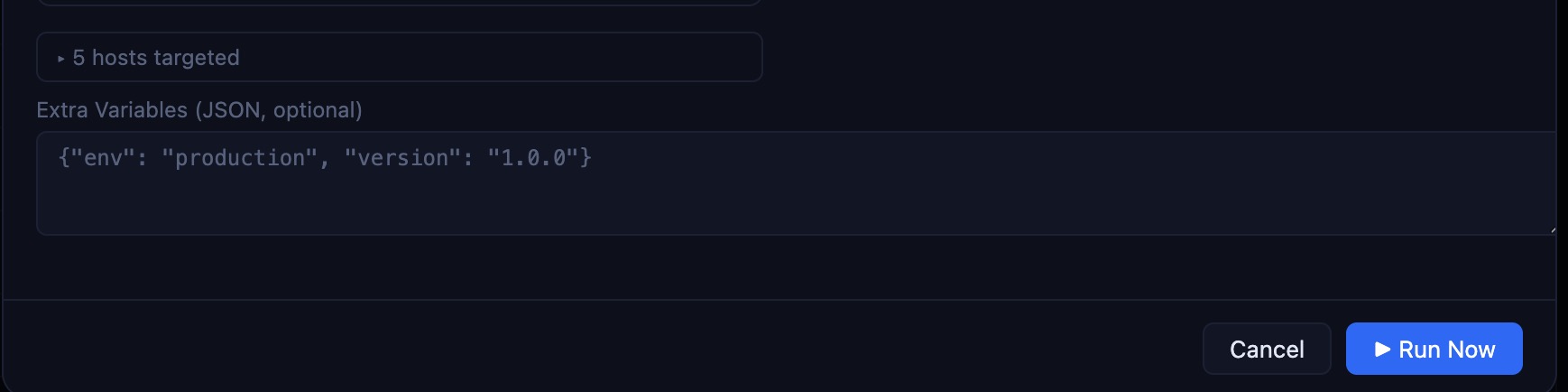
An optional JSON object, merged over the template's own default parameters:
- Ansible Playbook — passed straight through as
--extra-vars '<json>', available to the playbook as normal Ansible vars. - Bash Script — available via the
script_argsmechanism set on the template (positional$1,$2, …), not as environment variables.
Server-side, only param keys the template explicitly allows (its allowed_param_keys, plus its own default_params/survey fields) can be supplied this way — anything else is rejected with a 400 error. The script or playbook content itself can never be overridden from the Run modal or from an extra var; it always comes from the template.
Account-lifecycle templates: the "subject" account
For the four built-in templates (Create/Push, Rotate Secret, Disable, Remove Account) and any custom template of the same type, the Run modal adds a Subject account picker above the targets — the credential whose username is the account created, rotated, disabled, or removed on each host, and whose secret becomes that account's new password/key (for Create/Push and Rotate). Leaving it unset falls back to whatever subject credential is pinned on the template.
Quick Actions
Templates with Quick Action button on host cards enabled (see Writing Playbooks & Scripts) appear as one-click "▶ Name" buttons directly on the Assets page, scoped to that single host — useful for a "Restart nginx" script or similar you run often against one server at a time without opening the full Run modal.
Scheduling (cron)
Any job template can be bound to a recurring cron schedule from the Schedules tab (admin/support only):
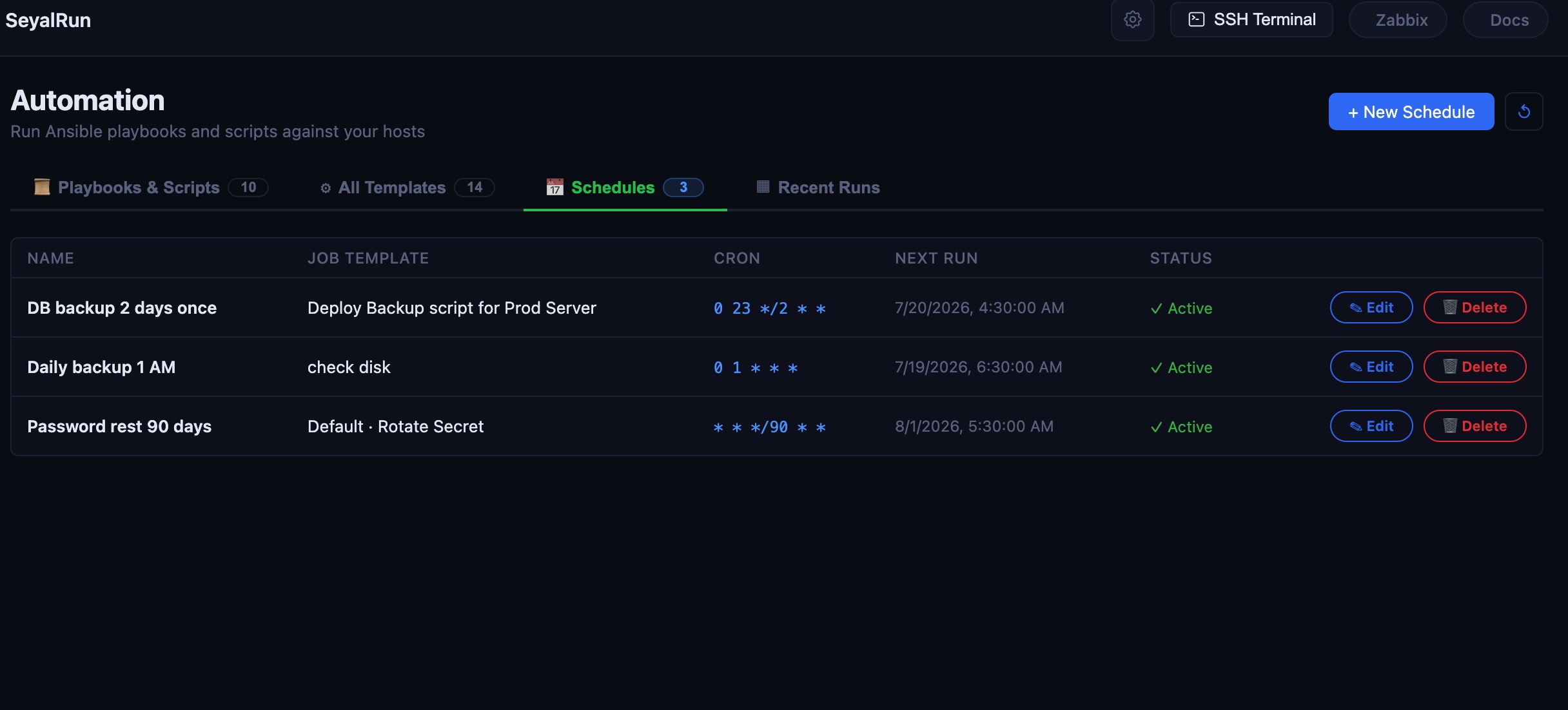
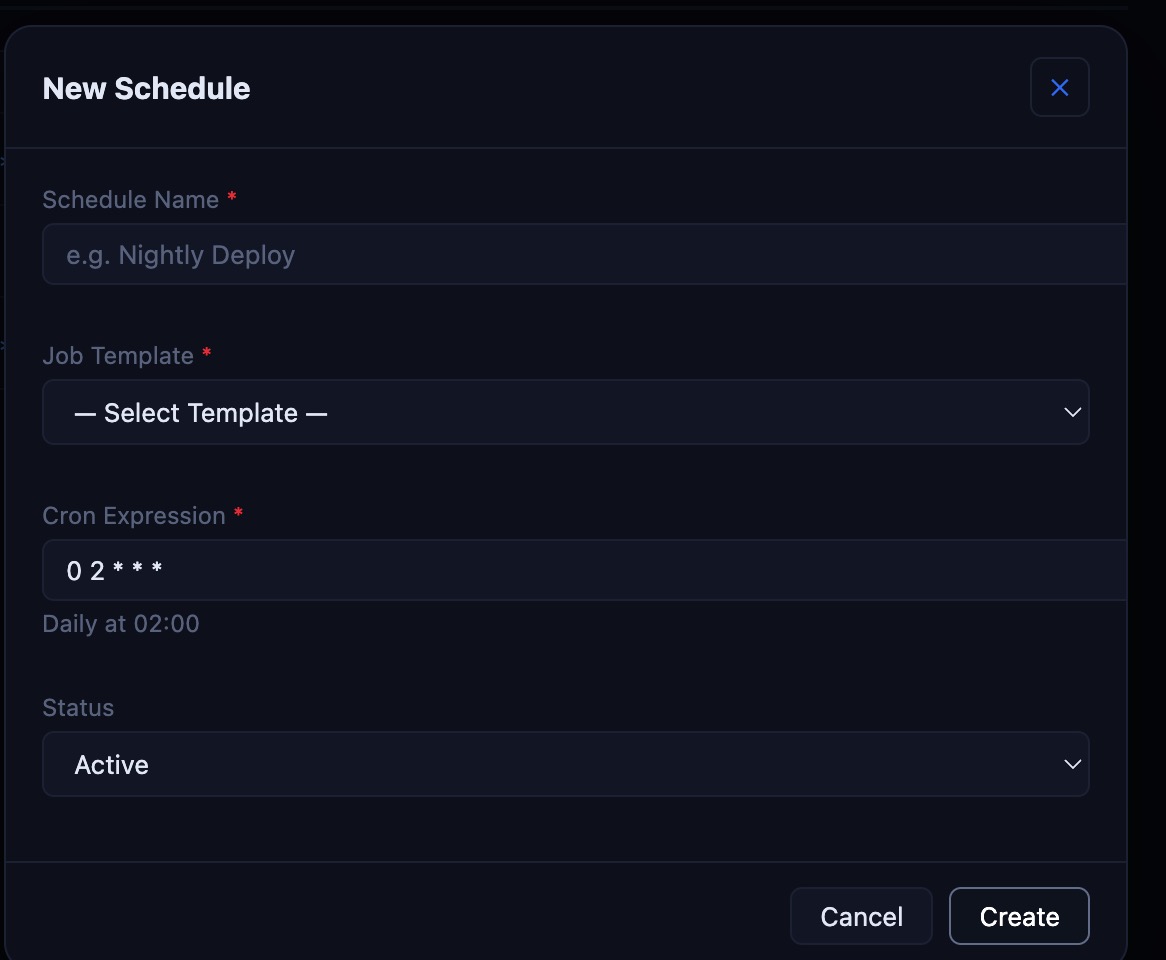
- Cron Expression — standard 5-field cron (
m h dom mon dow), validated on save; a short human-readable preview is shown for common patterns (e.g. "Daily at 02:00") and falls back to the raw expression otherwise. - Params Override — an optional JSON object merged over the template's default parameters for scheduled runs specifically.
- A background poller checks every 60 seconds for schedules whose next run is due, fires a job run (
triggered_by: schedule:<id>), and computes the nextnext_run_at. Disabling a schedule doesn't delete its history — past runs stay visible under Recent Runs.