
Appearance
Automation Overview
SeyalRun's Automation lets you run Ansible-style playbooks or bash scripts across your host fleet from reusable, RBAC-scoped job templates — ad hoc, on a cron schedule, from a one-click Quick Action, or triggered by a Zabbix event. It's powered by a dedicated automation-service, reachable in the UI at Automation in the main navigation.
Core concepts
| Concept | What it is |
|---|---|
| Project | A folder that groups related job templates together (e.g. "Web Fleet", "Database Maintenance"). Every template belongs to exactly one project. |
| Job Template | The reusable definition — what the UI calls a "playbook". Stores the Ansible YAML or bash script content, default targets, credential, and options. Creating one does not run anything by itself. |
| Job Run | A single execution of a job template — the instance created every time you click Run, a schedule fires, or a Quick Action is used. Each run has its own status, parameters, and output log. |
| Schedule | A cron binding that fires a job template automatically at a recurring time, optionally overriding its default parameters. |
A "playbook" in SeyalRun is not a file on disk — the Ansible YAML or shell script is stored as text directly on the job template and run inline against a generated inventory (for Ansible) or over SSH per host (for bash). There's nothing to check into a separate repo unless you choose to author it in GitHub and import it (see Writing Playbooks & Scripts).
The four tabs
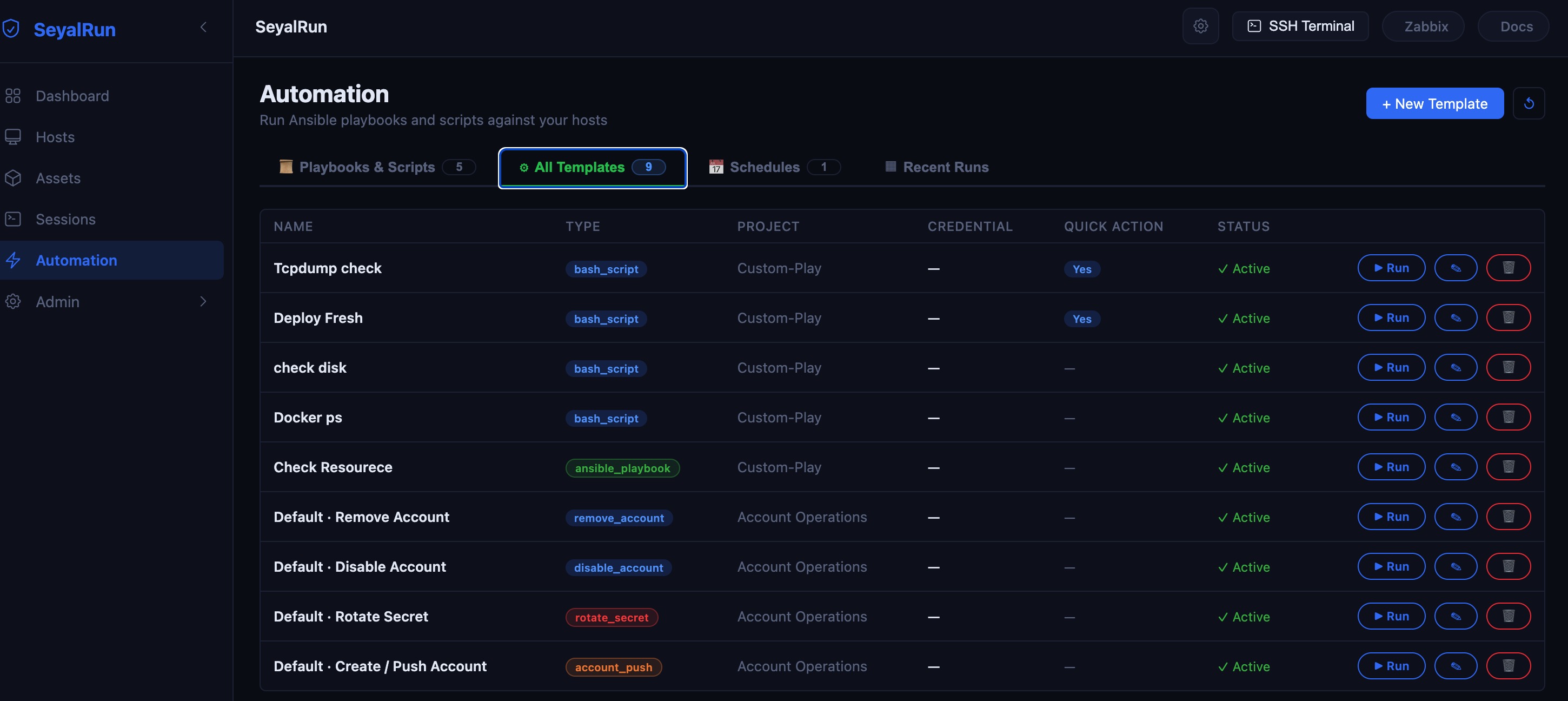
The Automation page (/automation) organizes everything into tabs:
- Playbooks & Scripts — the templates you author yourself:
Ansible PlaybookorBash Scriptjob templates, in a searchable list or grid view. Visible to everyone; creating/editing/deleting requires admin, support, or superadmin. - All Templates (admin/support only) — every job template regardless of type, including the four built-in account-lifecycle templates (see below).
- Schedules (admin/support only) — cron bindings that fire templates automatically.
- Recent Runs — the history of every job execution, with a live link into each run's detail/log page. (Old bookmarks to
/jobsredirect here automatically.)
Beyond playbooks: account-lifecycle templates
Alongside the playbooks and scripts you write, SeyalRun automatically seeds four built-in job templates under an "Account Operations" project the first time automation-service starts:
- Default · Create / Push Account
- Default · Rotate Secret
- Default · Disable Account
- Default · Remove Account
These use the same job-template/job-run machinery described in this section, but act on a subject account (the user created, rotated, disabled, or removed on each target host) rather than running arbitrary code. They're the templates behind the "Create / Rotate / Disable / Remove account" actions on the Assets page. See Execution Options for how the subject account is chosen at run time.
Where to go next
- Configuration — prerequisites, environment variables, and who can do what.
- Writing Playbooks & Scripts — creating a job template, the code editor, and importing from GitHub.
- Execution Options — targeting, credential modes, extra variables, and scheduling.
- Jobs & Run History — monitoring a run, live logs, and re-running or cancelling a job.